
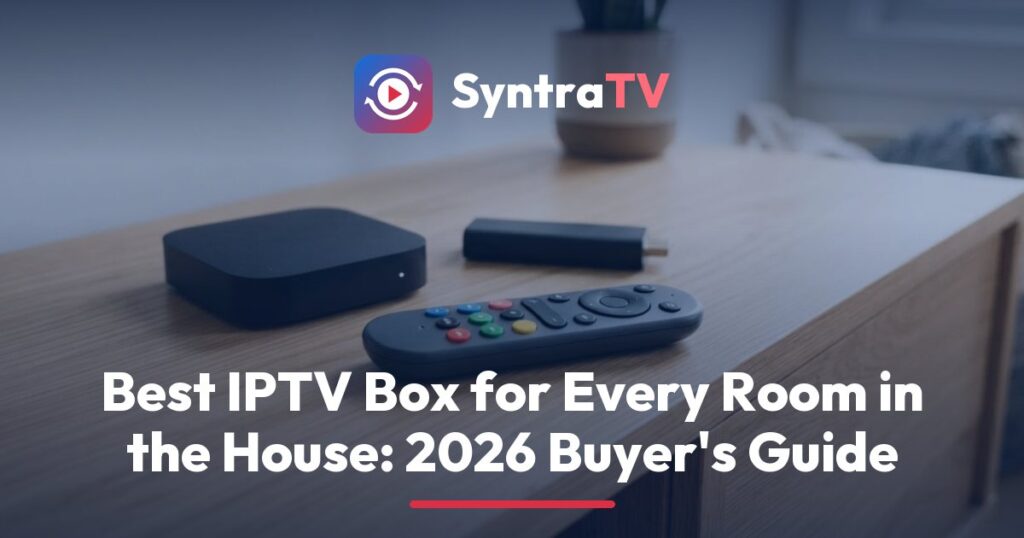
The best IPTV box in 2026 for most US homes is a Google TV device with a wired Ethernet port, at least 3 GB of memory and a remote the whole family can find. The Google TV Streamer is our pick for the main TV, the Onn 4K Pro suits bedrooms and the kids’ room, and the Fire TV Stick 4K Max works if your home already uses Fire OS. Each one installs the players that show the SyntraTV guide and catch-up, so every screen in the house works the same way.
This guide is written for households, not spec collectors. It covers one device per TV, remotes that survive small hands, cables versus Wi-Fi, and which apps show a proper TV guide on each device. Prices were read from maker stores and big US retailers in September 2026. They change often, so read them as ranges.
Best streaming device for IPTV, room by room
Living room: Google TV Streamer, plugged into the router with a cable. Bedrooms and kids’ room: Onn 4K Pro. Homes already on Amazon: Fire TV Stick 4K Max, but check it runs Fire OS. Apple households: Apple TV 4K. Someone who wants every setting: Nvidia Shield TV Pro. Skip Roku and Vega OS sticks for IPTV players.
What makes a good IPTV box for a household?
A good IPTV box for a family is simple to use, installs trusted players, loads a large guide without lag and stays connected when everyone streams at once. Raw processor speed matters less than you think. The details below decide whether the SyntraTV guide feels quick or slow on each TV.
One device for every TV
Each TV that watches IPTV needs something to run the player. A smart TV can run an app itself, but most homes get a better experience with a small box on each screen. Buying the same model for every room means one set of instructions, one remote layout and less confusion for everyone.
A remote kids and grandparents can use
Look for a remote with a clear home button, a guide or menu button and voice search. Some models let you ring a lost remote from the box, which is a quiet blessing in a house with a sofa. Small, slippery remotes vanish fast. Bigger ones with rubber grips last longer, and a SyntraTV guide is much nicer when nobody is hunting for the remote.
Ethernet beats Wi-Fi
A cable from the router gives each box a steady line. Wi-Fi is shared with every phone and laptop in the house, and busy evenings are when it wobbles. If a stick has no port, a small USB Ethernet adapter usually does the job. Put wired boxes on the TVs used most.
Memory for a big TV guide
A line-up of 25,000+ channels makes a long guide. With 2 GB of memory it works. With 3 or 4 GB, the grid scrolls faster and catch-up menus open without a pause. Storage matters less, because players store guide data, not whole shows.
An operating system that runs the right players
Google TV, Android TV and Fire OS install the best IPTV players, including TiViMate and IPTV Smarters Pro. Apple TV runs its own set of apps. Roku and Amazon’s newer Vega OS sticks do not accept these players, which rules them out for SyntraTV households.
IPTV box comparison: price, memory, Ethernet and apps
The table lists the devices US families ask about most. “Guide and catch-up app” names a player on that device that shows the SyntraTV guide and replays programs on catch-up-enabled channels. Price ranges are typical US figures from September 2026 and should be checked before buying.
| Device | System | Typical US price | Memory | Ethernet | Guide and catch-up app | Household note |
|---|---|---|---|---|---|---|
| Google TV Streamer | Google TV | $100 to $150 | 4 GB | Built in | TiViMate, Smarters Pro | Best main-room pick; remote finder |
| Onn 4K Pro | Google TV | $50 to $65 | 3 GB | Built in | TiViMate, Smarters Pro | Strong SyntraTV pick for bedrooms; remote finder |
| Fire TV Stick 4K Max | Fire OS | $60 to $85 | 2 GB | USB adapter | TiViMate, Smarters Pro | Fine if it ships with Fire OS |
| Fire TV Stick 4K Select | Vega OS | $40 to $50 | 1 GB | USB adapter | Not supported | Avoid for IPTV players |
| Fire TV Cube | Fire OS | $140 to $160 | 2 GB | Built in | TiViMate, Smarters Pro | Hands-free voice; wired port |
| Nvidia Shield TV Pro | Android TV | About $200 | 3 GB | Built in | TiViMate, OTT Navigator | For the household tinkerer |
| Apple TV 4K | tvOS | $130 to $250 by model | Not listed | On some models | IPTV Smarters Pro | Best for iPhone families |
| Formuler Z11 Pro Max | Android TV based | $200 to $250 | 4 GB | Built in | MyTVOnline 3, TiViMate | Built for IPTV; learning curve |
| MAG box (Infomir) | Linux portal box | $80 to $180 | 1 to 2 GB | Built in | Built-in portal menu | Simple, but fewer app choices |
| Roku (any model) | Roku OS | $30 to $100 | Not listed | Ultra only | No IPTV players | Not suitable |
Read the price column as a guide, not a quote. Sales, bundles and new models shift it every few months. What does not change is the pattern: the device needs a good player, a steady connection and enough memory for the guide.
No cable near the TV? Getting the most from Wi-Fi
If running a cable is not practical, a few changes make Wi-Fi far steadier. Most of them cost nothing, and they help every screen that uses SyntraTV, not just the one you are fixing.
- Use the 5 GHz band. It is faster and less crowded than 2.4 GHz, though it reaches less far through walls.
- Move the router up and out. A router in a cupboard or on the floor loses a lot of signal. A shelf in the open works better.
- Add a mesh point. A mesh system puts a second access point near the far bedroom, and some mesh units have an Ethernet port for the box.
- Keep the stick away from the TV back. A short HDMI extender, often in the box, lifts a stick out of the TV’s shadow.
- Restart weekly. Rebooting the box and router now and then clears small faults before they show up during a big game.
If one room still struggles, a powerline adapter can carry a network signal through the home’s electrical wiring to a socket near the TV. Results vary by house, so buy from a store with an easy return policy.
What is the best IPTV box in 2026?
For a family’s main TV, our 2026 choice is the Google TV Streamer. It has 4 GB of memory, a built-in Ethernet port, access to Google Play for trusted players and a remote you can make ring from the box. It runs the SyntraTV guide smoothly, even on a long line-up.
Why it works for families
Google TV supports kids profiles with their own apps and time limits, set from the parent’s account. Inside the player, a parental PIN locks the groups you choose. Together they give real control without blocking the rest of the house, and SyntraTV kids categories stay easy to reach.
What to watch for
It sits on a table rather than hiding behind the TV, so it needs a bit of space near the set. Its price is also higher than a stick. For one main TV it is worth it. For every room, a less costly Google TV box makes more sense.
What is the best streaming device for IPTV in the USA?
The best streaming device for IPTV in the USA is a Google TV box with Ethernet, such as the Onn 4K Pro sold at Walmart or the Google TV Streamer. Both get TiViMate and IPTV Smarters Pro straight from the Play Store. The Fire TV Stick 4K Max is a good third choice for Amazon homes, as long as it runs Fire OS.
Onn 4K Pro for the bedrooms
The Onn 4K Pro has 3 GB of memory, a wired port and a voice remote with a finder button. It handles the SyntraTV guide and catch-up well. Buying several of them keeps every bedroom on the same menus, which makes helping a family member much easier.
Fire OS versus Vega OS: check before you buy
Amazon now sells sticks on two systems. Fire OS models can install Android players, including TiViMate and IPTV Smarters Pro. Newer Vega OS models, such as the Fire TV Stick 4K Select, only take apps from Amazon’s own store in its new format. Those sticks cannot run the usual IPTV players.
Look for the operating system on the box or the product page before you pay. If you already own a Fire OS stick, follow our Fire TV Stick setup guide to add SyntraTV in a few minutes.
Nvidia Shield and Formuler: for the person who likes settings
The Nvidia Shield TV Pro and the Formuler Z11 Pro Max are for the family member who enjoys fine-tuning. Both have wired ports, plenty of memory and deep playback settings. They cost more than a Google TV box, and most households will not notice a difference in everyday viewing.
Nvidia Shield TV Pro
The Shield has been sold for years and still gets used in serious home theaters. It runs Android TV, installs TiViMate and OTT Navigator, and has USB ports for storage. Its age shows in newer video formats, but for live channels and catch-up it remains dependable.
Formuler Z11 Pro Max
Formuler boxes are built around IPTV. They come with MyTVOnline 3, a player with a guide and catch-up, and they can install other Android players too. The menus take some learning. Our MAG and Formuler setup guide walks through the SyntraTV login on both.
Apple TV 4K for iPhone households
If your family lives on iPhones and iPads, the Apple TV 4K is the natural choice for the main TV. It runs IPTV Smarters Pro and other tvOS players with a SyntraTV login, and the remote is simple. Choose a model with an Ethernet port for the room where you watch most live TV. Apple lists the ports for each model on its Apple TV 4K specifications page.
The trade-off
TiViMate is not available on tvOS, so Apple TV owners use a different player from Google TV owners. That is fine. The same SyntraTV login works in both, and our Apple TV and iPhone setup guide shows the steps.
MAG boxes and Roku: when to skip them
A MAG box is a simple Linux device that loads a portal menu rather than an app store. SyntraTV supports it through a portal login. It works, and some older viewers like its plain layout, but you cannot swap players as easily. Roku is a different story: it cannot install IPTV players at all.
If you already own a Roku
Keep it for Netflix and the other apps it does well. For SyntraTV, plug a Google TV or Fire OS device into a spare HDMI port on the same TV. Our Roku options page explains the choices.
How much does an IPTV box cost?
In the US, expect to pay between $50 and $250 for an IPTV box in 2026. A good Google TV box such as the Onn 4K Pro sits near the lower end. The Google TV Streamer and Apple TV 4K sit in the middle, and dedicated IPTV boxes such as Formuler sit at the top. You buy it once.
The cost for a whole house
Most families need one device per TV that watches IPTV. A home with three TVs might pair one Google TV Streamer in the living room with two Onn 4K Pro boxes in bedrooms. Phones and tablets need no box. Add a USB Ethernet adapter only for sticks that lack a port.
The service is a separate bill
A box never includes channels. The line-up comes from your service. SyntraTV plans cover 1, 2, 3 or 5 screens at once, from $15 for a single month on one screen. Our full guide to what IPTV costs a household adds box and plan together.
Catch-up and TV guide apps for each device
The device only matters as far as it runs a player with a good guide and catch-up. The pairings below give each box the app that shows SyntraTV’s EPG and replay icons most clearly. Use the setup guide next to each app for the exact screens.
- Google TV Streamer, Onn 4K Pro, Shield: TiViMate, with catch-up and a PIN in Premium. See the TiViMate setup guide.
- Fire OS sticks and Cube: TiViMate or IPTV Smarters Pro. Smarters includes catch-up and parental control in its free version.
- Apple TV 4K: IPTV Smarters Pro. Follow the IPTV Smarters Pro setup steps.
- Formuler: MyTVOnline 3, or TiViMate if you prefer its grid.
- MAG: the built-in portal, which shows the guide and catch-up where the portal supports it.
Remember that catch-up works on selected channels, and the replay window varies by channel. The SyntraTV catch-up page explains how to spot supported channels, and the TV guide page covers time zone fixes.
Setting up a box for the whole family
Setting up a box takes about fifteen minutes the first time and less for every box after. SyntraTV sends your login on WhatsApp, and a support agent can stay on the chat until the guide appears. These steps work for any Google TV or Fire OS device.
- Connect the cable. Plug Ethernet in first, or join the strongest Wi-Fi band if there is no port.
- Install one player. Use the official store on the device. Pick the same player on every TV if you can.
- Add your login. Type the SyntraTV details once per device. The same login can run on as many screens at once as your plan allows.
- Set the parental PIN. Lock the groups kids should not open. Our family IPTV page suggests which ones.
- Check the guide time. Match the EPG offset to your local time so show times read correctly.
Favorites and resume points stay inside each app on each device. Set up your favorites group once per TV, and everyone will find their channels quickly after that.
Our picks for every kind of household
A family with one main TV should buy a Google TV Streamer and use TiViMate. A home with several bedrooms should add Onn 4K Pro boxes so every room matches. Amazon homes can keep Fire OS sticks. Apple homes should use an Apple TV 4K with Smarters Pro. Avoid Roku and Vega OS sticks for IPTV players.
Whatever you choose, SyntraTV works on every screen in the house, streams in 4K, FHD and HD, and never renews automatically. Your first order has a 7-day money-back guarantee. Compare screen counts on the SyntraTV pricing page, or read our guide to the best IPTV player for more on apps.
Quick answers on this topic
What is the best IPTV box in 2026?
The best IPTV box in 2026 for a family's main TV is the Google TV Streamer. It has 4 GB of memory, a built-in Ethernet port, trusted players from Google Play and a remote you can make ring. For bedrooms, the Onn 4K Pro offers the same system for less. Both show the SyntraTV guide and catch-up clearly.
What is the best streaming device for IPTV in the USA?
The best streaming device for IPTV in the USA is a Google TV box with an Ethernet port, such as the Onn 4K Pro or the Google TV Streamer. Both install TiViMate and IPTV Smarters Pro. A Fire TV Stick 4K Max also works if it runs Fire OS. Roku and Vega OS sticks cannot install IPTV players for SyntraTV.
How much does an IPTV box cost?
An IPTV box costs about $50 to $250 in the US in 2026. Google TV boxes such as the Onn 4K Pro sit near the lower end, the Google TV Streamer and Apple TV 4K in the middle, and dedicated IPTV boxes like Formuler at the top. It is a one-time purchase, separate from your SyntraTV plan.
Do I need a separate box for every TV?
Each TV that watches IPTV needs something to run a player, either the TV's own apps or a small box. Most families buy one box per TV and use the same model everywhere, so menus match. Phones and tablets need no box. SyntraTV plans cover 1, 2, 3 or 5 screens playing at the same time.
Can I use a Fire TV Stick for IPTV?
Yes, if the stick runs Fire OS. Fire OS models install TiViMate and IPTV Smarters Pro and work well with SyntraTV. Newer Vega OS models, such as the Fire TV Stick 4K Select, only accept apps built for Amazon's new system, so the usual IPTV players cannot be installed. Check the operating system on the product page before buying.
Ready for TV that keeps up with your household?
SyntraTV pairs 25,000+ live channels and 120,000+ movies and series with catch-up on supported channels, a full TV guide and one login for every screen at home. Try it free for 24 hours with no card. Your first order has a 7-day refund window, and plans never renew by themselves.
Keep reading on SyntraTV
VPN for IPTV: When It Helps, When It Hurts and What It Cannot Do
Do you need a VPN for IPTV? An honest look at privacy, speed cost, guide and catch-up loading, router vs app VPNs,…
September 27, 2026IPTV vs Cable for Families: Costs, Replay, Rooms and Contracts
IPTV vs cable for a family: monthly costs, cable DVR against catch-up, extra rooms and contracts, plus how to watch TV without…
September 4, 2026Best IPTV Player for Families: Guide, Catch-Up and PIN Compared
TiViMate, IPTV Smarters Pro, IBO Player, Smart IPTV, OTT Navigator, VLC and web players compared on TV guide, catch-up, parental PIN and…