SyntraTV IPTV Subscription: Catch-Up, a Full TV Guide and Every Screen in Sync
SyntraTV is an IPTV subscription for people who are rarely home when the show starts. Catch-up lets you replay recent programs on supported channels, and a full TV guide shows what is on now and next. One login covers the living-room TV, the bedroom stick, the tablet and your phone. Inside are 25,000+ live channels and 120,000+ movies and series in 4K, FHD and HD.
Try it before you pay. The 24-hour trial needs no card. Paid logins usually arrive on WhatsApp under 15 minutes after payment, a person answers 24/7, first orders get a 7-day refund window and no plan renews by itself.
Why Households Choose SyntraTV: Catch-Up, Sync and Easy Setup
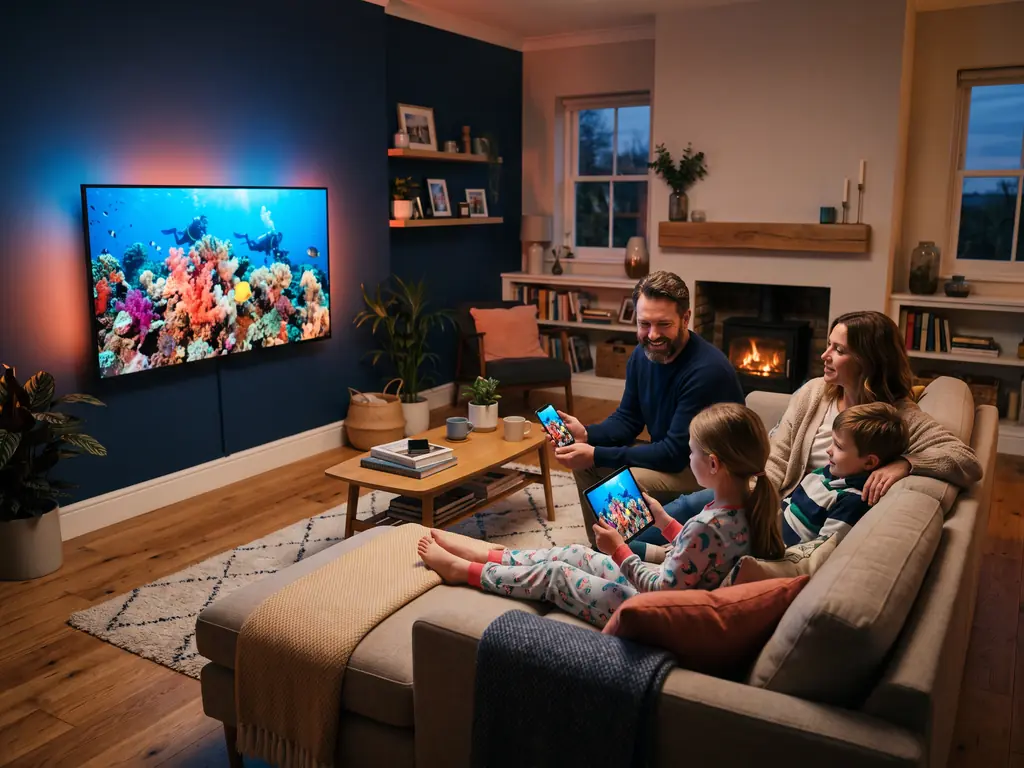
Real evenings are messy: dinner runs late, the kids want cartoons and someone else wants the game. SyntraTV lets you go back to what you missed, see what is coming up, and let each person watch on their own screen. Read how the IPTV EPG and TV guide works, how family IPTV with parental controls is set up, or what viewers in Canada get from SyntraTV.
Catch up on what you missed
Supported channels keep recent programs ready to replay. The replay window depends on the channel, and the guide marks which ones offer it.
A TV guide that fills in itself
The electronic program guide loads inside your player, so you can scroll ahead, jump straight to a live show or, in players that allow it, set a reminder.
One login on every screen
Sign in on the TV, a stick, a tablet and a phone. Plans let 1, 2, 3 or 5 of them play at the same time.
Parental PIN and kids groups
Player apps can lock adult or late-night groups behind a PIN, while a kids section keeps cartoons in one easy place.
A person on WhatsApp 24/7
Stuck on the first login? Someone from the team walks you through it, step by step, in the same chat as your order.
No card kept, no renewal
We never store a card number. Each plan stops on its end date, and you choose whether to order again.
IPTV Subscription Plans for 1, 2, 3 or 5 Screens
Catch-up, the TV guide, sport and the full library come with every plan. You only choose two things: the length of the plan and how many screens will play together. On one screen the prices run $15 for one month, $29 for three, $45 for six and $69 for twelve.
1 Device · single month, ends by itself2 Devices · single month, ends by itself3 Devices · single month, ends by itself5 Devices · single month, ends by itself
25,000+ live channels in one login
120,000+ films and series on demand
Catch-up on supported channels and a full TV guide
The same login on every screen in your home
Sport, news, kids and international channels, no add-ons
Whichever length you pick, SyntraTV gives you the same service: 25,000+ live channels, 120,000+ movies and series, catch-up on supported channels, a full TV guide and streams in 4K, FHD and HD. Use one login on every screen in the house, up to the number your plan allows at once. Nothing renews on its own, and your first order has a 7-day refund window. Prices shown in USD.
Think about how many people in your home watch together on a Sunday night, then choose how long the plan should run.
2
Send the short order form
Our team replies on WhatsApp to confirm the plan and share the payment options for your country.
3
Log in and turn on the guide
Your details usually arrive under 15 minutes after payment, along with the setup guide for your device and help with the TV guide.
Live Sport, and Catch-Up When Kick-Off Clashes With Life
Football, basketball, soccer, racing and fight nights are all part of the standard line-up. When a game starts during the school run, open the guide, find the channel and see if catch-up is on for it. Where a broadcaster offers a UHD feed, big events stream in 4K; the rest play in FHD or HD.
The trial shows how SyntraTV behaves at home; the refund window covers you after you pay. If playback keeps failing on your devices and support cannot fix it, message us within 7 days. You get the whole payment back, not a voucher.
No card is asked for, and the test ends by itself. Tell us which device you use, send the form, and a trial login lands on WhatsApp. Use it to open the guide, replay a show and try a second screen in the house. The SyntraTV free trial page has the rules and a simple checklist.
Quick answers to the questions households ask before ordering, from catch-up to refunds. The full FAQ page goes deeper.
What is SyntraTV?
SyntraTV is an IPTV subscription made for households that watch on their own schedule. One login brings 25,000+ live channels, 120,000+ movies and series, catch-up on supported channels and a full TV guide to every screen at home. Streams play in 4K, FHD and HD. You can try it free for 24 hours, and first orders carry a 7-day refund.
Is SyntraTV legit and safe to use?
Yes, SyntraTV runs as a straight service with every term in writing. Prices sit on a public table, the 24-hour trial needs no card, the refund rules are published and no plan renews by itself. You pay through a secure link and get your login in a private WhatsApp chat. Checking that your viewing is allowed where you live remains your job.
Does SyntraTV have catch-up TV?
Yes, SyntraTV includes catch-up on supported channels, so you can replay recent programs you missed. Open the TV guide in your player, scroll back to the show and press play. Not every channel offers catch-up, and the replay window changes from one channel to another. It costs nothing extra and works on every plan, including the free trial.
Does SyntraTV come with a TV guide?
Yes, every SyntraTV plan comes with an electronic program guide, often called the EPG. It shows what is on now and next across your channels, much like a cable grid. Players such as TiViMate and IPTV Smarters Pro load it automatically. The guide is also the doorway to catch-up, because on supported channels you start past shows straight from it.
How many screens can use one SyntraTV login?
One SyntraTV login can sit on as many of your devices as you like, and your plan sets how many play at the same moment: 1, 2, 3 or 5. Put it on the living-room TV, a bedroom stick, a tablet and a phone. Pick the screen count that matches how many people watch at once in the evening.
Is there a SyntraTV app?
No, SyntraTV does not make its own app, so any file sold or shared as a SyntraTV APK is not ours. You sign in to a trusted player instead, such as IPTV Smarters Pro, TiViMate or iPlayTV, using the details we send. These players have long public histories, and our setup guides show the exact screens for each device in your home.
How do I get SyntraTV on my TV?
Install a trusted IPTV player on the TV or a plugged-in stick, then type in your SyntraTV login. Fire TV, Android TV and Google TV owners can use TiViMate or IPTV Smarters Pro. Samsung and LG sets take a compatible player from their own store. Enter the server address, username and password, and the guide fills in within a minute or two.
How fast is SyntraTV activated after I pay?
Your SyntraTV login usually arrives under 15 minutes after the payment clears. The team posts the server address, username and password in the same WhatsApp chat where you ordered, day or night, because support runs 24/7. If a player is already set up from your trial, just swap in the new details and keep watching.
Are there hidden fees with SyntraTV?
No, the price on the SyntraTV table is the full cost of that plan. Live channels, sport, kids categories, the 120,000+-title library, catch-up on supported channels and the TV guide all come included. There is no setup charge, no add-on pack and no automatic renewal. Some player apps sell optional premium features, but none of them is needed to watch.
What if SyntraTV does not work on my device?
Message SyntraTV support on WhatsApp first, since most problems end with a small player setting or a server change. A real person walks you through it. If it still will not play properly, the 7-day money-back guarantee returns your full payment on a first order. Testing the free 24-hour trial on that same device beforehand avoids the question.
Is SyntraTV easy for the whole family to use?
Yes, SyntraTV is set up so anyone in the house can find their shows. Kids categories sit in their own groups, parents can lock other groups behind a PIN in the player, and the TV guide works like the cable grid older viewers know. For the first login, a person on WhatsApp walks you through each screen, step by step.